LiveChat
 Support
 Blog
Blog Affiliates
An easy way to create a temporary redirect from one page to another web page is to use the 302 redirect directive with an htaccess file. With a temporary redirect search engines are aware this is not going to be a permanent redirect and will continue to update their listing for it.
Create an .htaccess file and place the following contents at the top:
RewriteEngine On
Options +FollowSymLinks
Example:
Redirect 302 /article.html http://www.example.com/new-article.html
To redirect an entire website to a new url use the following:
Redirect 302 / http://www.thenewwebsite.com
Once created upload the file to your public_html folder with the file manager or any FTP program. If the file already exists you can insert the line to the top of that file instead.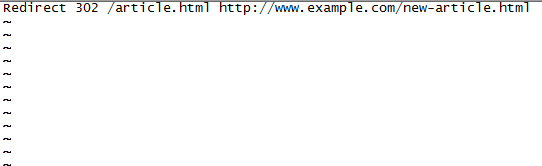
- 336 Users Found This Useful
Related Articles